
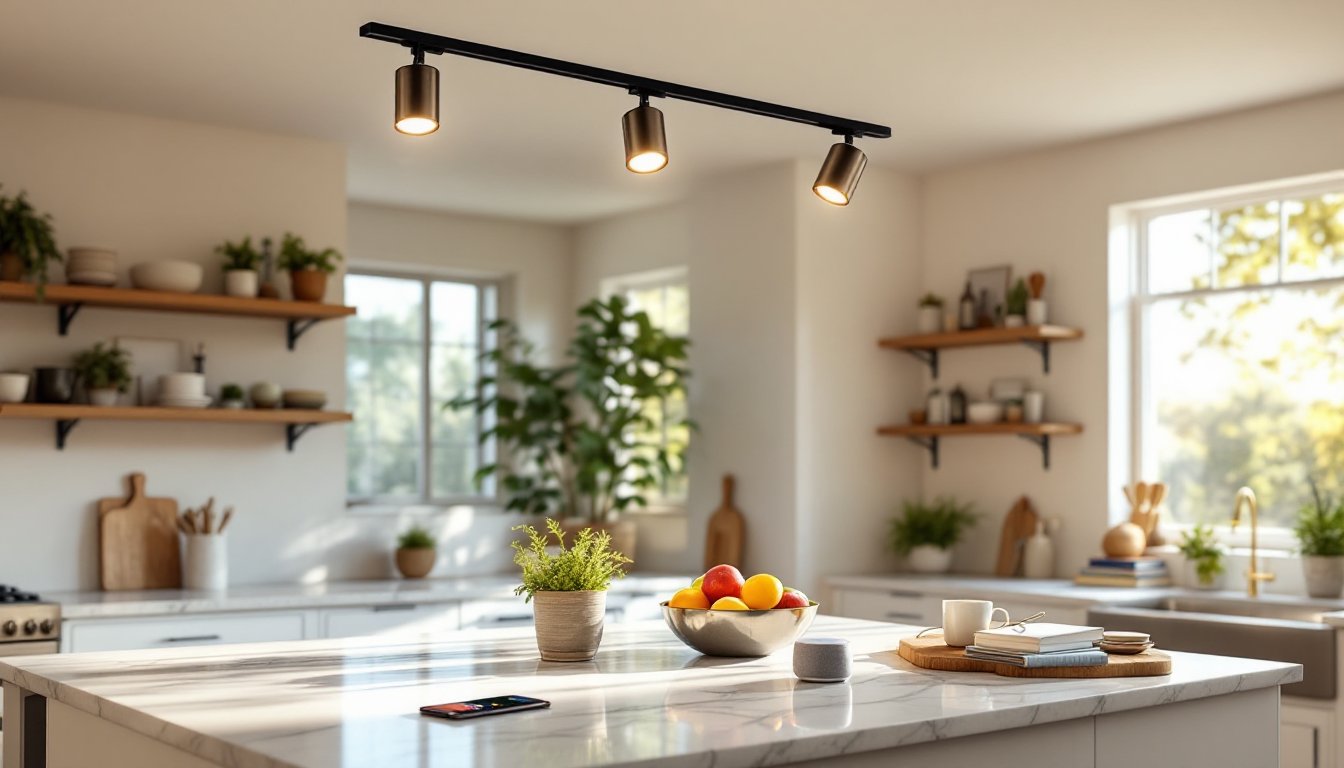
Smart track lighting brings the flexibility of traditional track systems into the connected home. Instead of fumbling with wall switches or reaching for individual fixture controls, users can adjust brightness, color temperature, and beam direction from a smartphone or voice assistant. These systems combine modular lighting heads on a linear track with wireless connectivity, typically Wi-Fi, Zigbee, or Bluetooth, allowing remote control, scheduling, and integration with broader home automation platforms. They’re particularly useful in spaces where lighting needs change frequently: art galleries, kitchens, workshops, or retail displays. For DIYers comfortable with basic electrical work and digital setup, smart track lighting offers a modern upgrade that doesn’t require rewiring every fixture.
Table of Contents
ToggleKey Takeaways
- Smart track lighting combines modular light heads on a powered track rail with wireless connectivity, enabling remote control, scheduling, and voice integration through smartphone apps or home automation platforms.
- The flexibility to add, remove, and reposition light heads without rewiring makes smart track lighting ideal for kitchens, galleries, workshops, and any space with changing lighting needs.
- Tunable white color temperature (2200K–6500K) and granular dimming control support circadian rhythms, energy efficiency, and task-specific lighting across different times of day and activities.
- Choose between Zigbee/Z-Wave (requires hub, better range) and Wi-Fi (direct connection, easier setup) based on your smart home ecosystem, and prioritize fixtures with CRI 90+ for accurate color rendering.
- Proper installation requires securing the track to ceiling joists, connecting house wiring safely to the track’s junction box, and testing each head before pairing through the manufacturer’s app.
What Is Smart Track Lighting and How Does It Work?
Smart track lighting consists of three core components: a powered track rail (typically H-type, J-type, or L-type), modular light heads that slide and lock into position along the track, and a smart controller or hub that enables wireless communication.
The track itself mounts to the ceiling or wall and carries low-voltage or line-voltage power, usually 120V AC in residential settings. Each light head connects mechanically and electrically via a twist-lock or linear contact system. Unlike conventional track lights, smart versions include onboard circuitry for dimming, color tuning, and network connectivity.
Control happens through one of three pathways: dedicated mobile apps (iOS or Android), voice assistants like Alexa, Google Assistant, or Apple HomeKit, and physical smart switches or remotes. Some systems use a central bridge that plugs into the home router: others embed Wi-Fi directly in each fixture. Zigbee-based systems require a compatible hub but offer better range and lower power draw than Bluetooth.
Smart track lights can be grouped, scheduled, and programmed for scenes, dim the kitchen pendants to 30% warm white at 7 p.m., then switch the accent heads to 100% daylight at 9 a.m. Integration with motion sensors, door contacts, or geofencing adds automation: lights turn on when someone enters the garage or shut off when the last person leaves home.
Key Benefits of Smart Track Lighting Systems
Flexibility and reconfiguration top the list. Homeowners can add, remove, or reposition light heads without rewiring. Need an extra spotlight over a new bookshelf? Slide a head into place and pair it in the app.
Energy efficiency improves through granular control. Dimming lights to 50% saves more than half the energy (LEDs dim efficiently), and scheduling prevents all-night burns. Many systems report energy usage in the app.
Color temperature tuning supports circadian rhythms and task-specific lighting. Warm white (2700K) for evening relaxation, cool daylight (5000K) for detailed work, and everything between. Some fixtures offer full RGB for accent lighting or mood effects.
Voice and automation reduce the need for manual switches. Hands-free control matters when carrying groceries, covered in flour, or working on a ladder. Geofencing and sunrise/sunset triggers handle routine on/off cycles automatically.
Scene creation lets users save and recall complex lighting setups instantly. A “cooking” scene might set task lights to 100% cool white and under-cabinet strips to 50%, while a “dinner party” scene dims everything to warm amber.
Smart track lighting also simplifies multi-room coordination. Group kitchen, dining, and hallway tracks into a single “entertaining” zone controlled by one voice command or app button.
Choosing the Right Smart Track Lighting for Your Space
Start by measuring the area and determining track length and configuration. Tracks come in 2-foot, 4-foot, and 8-foot sections: longer runs require joining connectors or L/T-shaped corner pieces. For a 12-foot kitchen island, two 6-foot sections joined end-to-end work well.
Next, decide on voltage: line-voltage (120V) or low-voltage (12V or 24V). Line-voltage simplifies installation, wire directly to a ceiling box and standard wall switch, but low-voltage requires a transformer and offers safer handling during fixture adjustments. Low-voltage systems also enable sleeker, lighter heads.
Consider light output and beam angle. Task lighting needs 700–1000 lumens per head with narrow 25–40° beams. Ambient or wall-wash applications benefit from wider 60–80° floods and lower lumens per fixture. Check the manufacturer’s photometric data: some smart heads dim to 5%, others only to 20%.
Connectivity protocol matters for ecosystem compatibility. Zigbee and Z-Wave integrate with SmartThings, Hubitat, or Home Assistant but require a hub. Wi-Fi fixtures connect directly to the router, easier setup, but more network congestion. Bluetooth works without a hub but limits range to about 30 feet.
Evaluate color rendering index (CRI). For art, textiles, or food prep, aim for CRI 90 or higher. Budget fixtures sometimes dip to CRI 80, which distorts reds and skin tones.
Smart Track Lighting vs. Traditional Track Lighting
Traditional track systems cost less upfront, $50–$150 for a basic 4-foot kit with three heads, and require no network setup or app management. They work via wall switch or pull chains and never need firmware updates.
Smart systems start around $200–$400 for a starter kit (track plus two to four heads) and climb with more heads or premium features. Ongoing costs include potential hub replacements and the risk of discontinued app support.
Traditional track lighting suits spaces with static needs: a hallway that’s always on/off, a garage workshop with a single brightness setting. Smart track shines in dynamic environments, kitchens that shift from task to entertaining, living rooms doubling as offices, or galleries rotating artwork. If the user already runs a smart home platform and values remote control, automation, or tunable white, the price premium pays off in convenience and energy savings. If simplicity and one-time cost matter most, traditional track remains the practical choice.
Installation and Setup: What to Expect
Safety first: Turn off power at the breaker and verify with a non-contact voltage tester before touching any wires. Wear safety glasses and use a stable ladder.
Most smart track systems install similarly to traditional track lighting. Locate a ceiling junction box, preferably centered in the planned track run. If the box sits off-center, use a ceiling canopy adapter or track connector to shift the track’s starting point.
Secure the track to ceiling joists or blocking using #8 wood screws (provided in most kits). For drywall-only mounting between joists, install toggle bolts rated for at least 50 lbs: lighting track and fixtures can weigh 10–20 lbs per 4-foot section. Mark screw holes with a pencil, drill pilot holes, then fasten the track.
Connect house wiring to the track’s integral junction box or separate power feed: black (hot) to black, white (neutral) to white, and bare copper or green (ground) to the ground screw. If installing low-voltage track, mount the transformer near the junction box and wire it per NEC Article 411 requirements. Some transformers include built-in dimming: others require a separate smart dimmer module.
Snap or twist-lock each light head onto the track, ensuring electrical contact. Most systems include a test button or indicator LED on each head.
Power on the breaker. Download the manufacturer’s app and create an account. Follow pairing instructions, usually holding a button on each fixture for five seconds until it blinks. The app scans for devices, assigns them to rooms, and prompts for firmware updates.
Group fixtures, set schedules, and test voice control through the linked assistant. Calibrate color temperature if the system supports tunable white: some apps include a “favorite whites” palette.
Common pitfalls: forgetting to enable location permissions (required for Bluetooth pairing), using mismatched track types (H, J, and L are not interchangeable), and overloading a circuit. A 15A circuit supports roughly 1800 watts: five 15-watt LED heads draw only 75 watts, leaving ample headroom. Always verify the total load if adding track lighting to an existing circuit with other devices.
For ceiling heights above 10 feet or complex layouts, consider hiring a licensed electrician. Permit requirements vary by jurisdiction, cosmetic fixture swaps rarely need permits, but adding new circuits or junction boxes often does.
Top Features to Look for in Smart Track Lighting
Dimming range and smoothness separate good systems from mediocre ones. Look for fixtures that dim to at least 10% or lower without flickering or color shift. Test in-store or check reviews: some budget LEDs hum audibly below 30%.
Tunable white (2200K–6500K) adds versatility. Morning cool white boosts alertness: evening warm white promotes relaxation. Full-spectrum tuning beats fixed CCT any day.
Beam adjustment, mechanical or electronic, lets users spotlight or flood as needed. Some heads include rotating lenses or swappable optics: others adjust beam width via app controls.
Scheduling and automation should support sunrise/sunset offsets, randomization (for security), and conditional triggers (“if motion detected, turn on for 10 minutes”). Advanced systems integrate with IFTTT or home automation platforms like Home Assistant.
Grouping and scenes enable one-touch control of multiple fixtures. A “focus” scene might set desk lights to 100% cool white and turn off all others: a “movie” scene dims everything to 5% warm.
Energy monitoring (available in some premium systems) tracks usage per fixture or group, helping users identify waste and optimize schedules.
Offline functionality matters. If Wi-Fi drops, can users still control lights via Bluetooth or a physical remote? Systems requiring cloud access for every command become useless during outages.
Firmware updates and longevity affect lifespan. Choose brands with a track record of multi-year support. Proprietary ecosystems risk obsolescence if the company folds or discontinues the product line: open standards like Zigbee offer better future-proofing.
Best Uses and Applications for Smart Track Lighting
Kitchens benefit from task-specific control. Bright, cool light over prep areas during cooking: dimmed, warm ambiance during meals. Voice control keeps hands free when covered in dough.
Art galleries and display walls exploit adjustable beam angles and high CRI. Reposition heads as artwork rotates, and program scenes to highlight specific pieces during showings.
Home offices and workshops need tunable white for focus during the day and reduced blue light in the evening. Track lighting eliminates desk shadows by positioning heads at precise angles.
Retail and showrooms use smart track to emphasize merchandise and adapt lighting for different inventory layouts. Scheduled scenes match store hours automatically.
Living rooms and open-concept spaces leverage multi-zone control. One track might handle ambient lighting: another accents architectural features. Grouping and scenes unify the space without complex wiring.
Closets and dressing areas gain from motion-activated smart track. Lights turn on when the door opens and shut off after five minutes of inactivity, saving energy and eliminating switch fumbling.
Home theaters use dimmed smart track for walkway lighting during movies, programmed to turn off when playback starts. Some systems sync with media servers for automated scene transitions.